
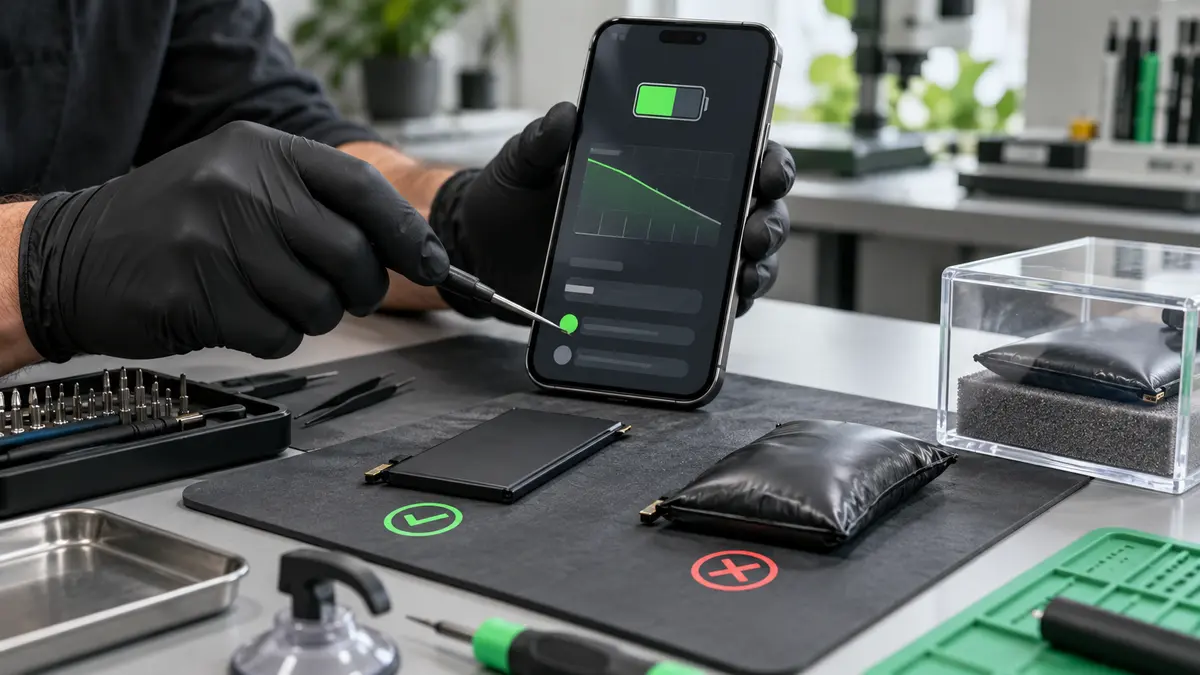
Rechargeable batteries wear gradually, so it is easy to adjust to shorter runtime without noticing how much performance has been lost. A tired battery can be inconvenient; a damaged or swollen battery can become a safety concern. Recognising the warning signs early gives you time to back up your information and arrange an assessment.
1. Battery life has fallen sharply
If a phone that once lasted all day now needs several charges, the battery may have lost capacity. Heavy apps, poor signal, background activity and software updates can also increase power use, so battery life alone does not prove a hardware fault.
2. The percentage changes unexpectedly
A device that drops from 40% to 10%, switches off while showing charge or restarts under load may no longer be measuring the battery accurately. The battery, charging circuit or software may need checking.
3. Charging is unusually slow or unreliable
Try a known-good, correctly rated cable and adaptor. Dust or damage inside the charging port can cause similar symptoms, so avoid forcing plugs or digging inside with metal objects.
4. The device becomes excessively hot
Some warmth during fast charging, gaming or navigation is normal. Persistent heat during light use, charging or standby deserves attention. Stop using the device if it is too hot to hold comfortably, smells unusual or behaves erratically.
5. The screen or casing is lifting
A swelling battery can push against the screen, trackpad or rear cover. Do not press the casing back into place, puncture the battery or continue charging it. Switch the device off if it is safe to do so and keep it away from heat and flammable materials while arranging professional advice.
6. Performance slows when unplugged
Some laptops reduce performance to protect a weak battery or because their power settings have changed. Sudden shutdowns under load may also point to power-delivery problems.
7. The device reports a service warning
Battery-health menus can provide useful clues but are not a complete diagnosis. Age, charge cycles, temperature and internal resistance all affect real-world behaviour.
What to do next
- Back up important data.
- Use suitable chargers and avoid extreme heat.
- Do not buy an unknown battery solely because it is cheap.
- Arrange an assessment if symptoms continue.
The Tech Surgery replaces and assesses batteries across many phones, tablets and laptops. Visit 59 Westoe Road, South Shields, NE33 4LU, open daily 9am–5pm, or call 0191 427 0857.
Further information and trusted sources
For additional guidance, visit:
External guidance can change over time. Check the linked organisation’s latest information and the instructions for your exact device.